
In precision manufacturing, CNC cutting design is the strategic backbone dictating production efficiency, part accuracy, and scalability. Whether fabricating turbine blades or architectural façades, your design workflow directly controls downstream success.
This guide reveals the complete CNC cutting design pipeline—detailing how CAD modeling, toolpath engineering, and simulation converge to eliminate waste while ensuring ±0.01mm repeatability.
Understanding the Role of CNC Cutting Design
CNC cutting design is the process of converting product specifications and functional requirements into digital models that can be interpreted by CNC machines. It’s not just about creating shapes; it’s about engineering toolpaths, tolerances, and material efficiency into a production-ready format.
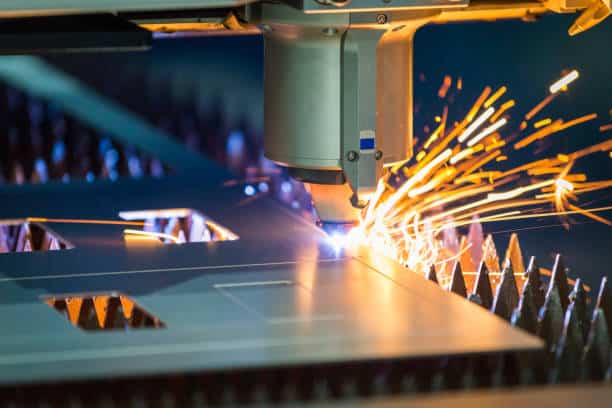
When executed properly, cutting design ensures:
- Reduced material waste
- Shorter cycle times
- Tighter tolerances
- Optimized machine uptime
- Seamless transition from design to production
These outcomes demand synchronized CAD/CAM planning. These benefits aren’t accidental—they stem from deliberate planning within both the design and CAM environments.
Step 1 – CAD Modeling: Precision Foundations
Robust CAD models (SolidWorks/Fusion 360) initiate successful CNC cutting design. Engineers use advanced tools like SolidWorks, AutoCAD, or Fusion 360 to build accurate 2D profiles or 3D geometries based on functional needs. Critical validations:
- Material stress behavior (e.g., aluminum deflection vs. titanium rigidity)
- Kerf compensation (laser: 0.2mm; plasma: 2.5mm)
- Internal radii > tool diameter (prevent breakage)
- Nesting efficiency (92%+ material utilization)
Even seemingly minor CAD flaws can cascade into costly production delays or inaccurate cuts. That’s why design validation is critical before moving to CAM programming.
Step 2 – Selecting and Configuring CNC Design Software
Transitioning from CAD to machine instructions requires sophisticated CNC design software. This software translates the geometric model into a sequence of toolpaths, speeds, and feeds optimized for a given material and machine type.
Top-performing CNC design software solutions—like Mastercam, Fusion 360, or RhinoCAM—offer:
- Post-processing tailored to specific CNC machines
- Real-time simulation to detect collisions or tool deflection
- Automated nesting for sheet material efficiency
- Multi-axis support for complex parts
The integration between CAD and CAM is vital. The more seamless the transition, the fewer errors and manual interventions needed during G-code generation.
Step 3 – Toolpath Strategy: The Physics of Cutting
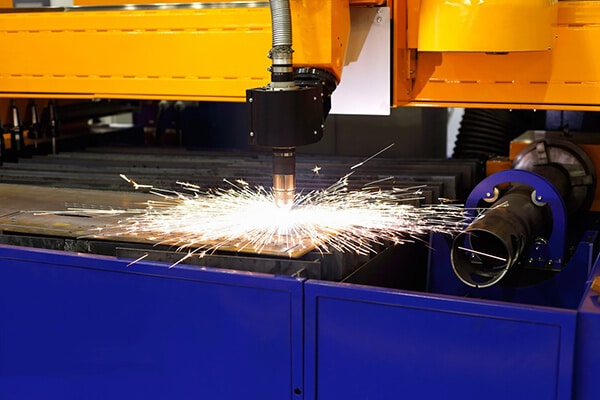
This stage is where CNC cutting design moves from geometry to functionality. Engineers must define toolpaths that match the material type, machine capability, and part complexity. Optimize paths for material and geometry:
| Strategy | Use Case | Key Parameters |
|---|---|---|
| Contour | External profiles | 0.05mm stepover, climb milling |
| Pocketing | Cavities | Trochoidal paths @ 8% RDOC |
| 3D Raster | Sculpted surfaces | 0.1mm scallop height |
Steel vs. Aluminum:
- Steel: 180 m/min, 0.3mm/tooth
- Aluminum: 800 m/min, 0.5mm/tooth
Each path must consider:
- Feed rate and spindle speed
- Depth of cut and step-over
- Tool type (end mill, router, plasma torch, etc.)
- Holding methods and workpiece fixturing
Poorly optimized toolpaths can result in chatter, edge burn, or dimensional inaccuracies—outcomes no production floor can afford.
Step 4 – Simulation and Error Checking
Before a single piece of raw material is touched, experienced teams simulate the entire process within their CNC design software environment. This virtual dry run is essential to catch potential collisions, over-travel, or inefficient tool movements.
Simulation benefits:
- Reduces machine downtime
- Prevents expensive rework
- Improves operator confidence
- Ensures machine-tool compatibility
Professional teams treat simulation as a critical QA checkpoint—not an optional step.
Step 5 – From G-Code to Production: The Final Execution
With toolpaths validated, the software generates G-code—machine-readable instructions that guide the CNC router, mill, or cutter in real time. Depending on the machine type (3-axis, 5-axis, waterjet, etc.), post-processors will tailor the code accordingly.
At this stage:
- Operators load the material and secure it
- The CNC machine is calibrated and zeroed
- Trial runs may be conducted on scrap stock
- Quality control monitors part dimensions after the first batch
Even at the production stage, iterative feedback loops can lead back to design adjustments—especially in high-tolerance industries like aerospace, medical devices, or automotive tooling.
Conclusion
Far from being a back-office task, CNC cutting design represents a competitive advantage when executed with precision and foresight. Investing in skilled designers, robust CNC design software, and a disciplined workflow leads to tangible benefits:
- Faster time to market
- Lower per-part cost
- Greater consistency in part quality
- Easier scaling from prototype to mass production
In high-mix, low-volume manufacturing—where agility is essential—your cutting design process could determine whether you stay ahead or fall behind. For more design tips, visit our “Design Tips” center.